Apple Silicon is recommended for new systems. Choose Macs with enough display outputs for your exact setup.
Presenter view · teleprompter · show control
Give every presenter the confidence they need.
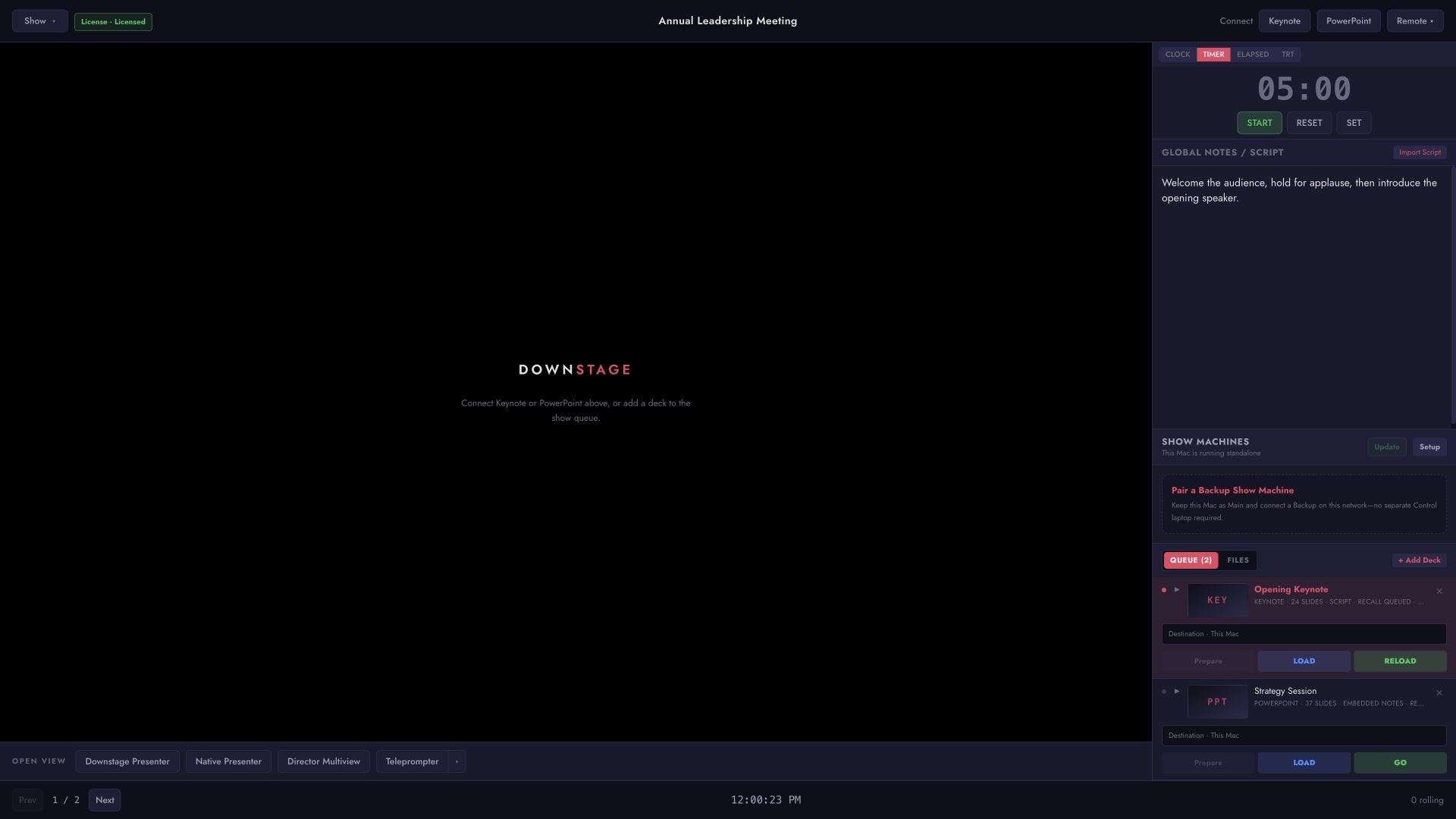
Shape every presenter view, distribute decks to the show machines, and keep the operator and director on the same page.
Downstage runs on macOS and keeps live operation local. Control, Main, and Backup belong on the same tested private network.
Apple Silicon is recommended for new systems. Choose Macs with enough display outputs for your exact setup.
Wire Control, Main, Backup, and the Director laptop. Use a tablet only as a secondary view.
Notes and teleprompter scripts advance by click, keyboard, or remote controls. Optional cloud indexing prepares text before the show.
Use the technical page to design the network, configure show-machine roles, and connect Stream Deck, Companion, OSC, UDP, or TCP.
Rehearse the exact rig. Test the Macs, adapters, displays, network, presentation apps, clickers, teleprompter controls, and fallback before the show—then freeze updates.
The founding beta is for live-event professionals willing to rehearse the real rig and tell us what happens in the room.
No. Once the show is prepared, licensing and show operation work offline. Optional beta telemetry waits until the presentation is over.
No. Manual notes and teleprompter control work without the cloud. Optional cloud indexing prepares difficult long-form text before the show.
One founding-beta key covers a Main show Mac and its Backup.
Downstage runs on Apple Silicon and Intel Macs. It controls presentations through separately installed Keynote or PowerPoint applications and plays PDFs directly.
Email support@downstage.technology to request access. During the beta, press Command–Shift–F in Downstage to send feedback after the active presentation ends.
Tell us what kind of shows you run and what you want Downstage to solve. If the beta is a fit, you will receive one private page for the terms, license, and current Mac build.
Ask to join the beta